-The Gain block multiplies the input by a constant value, or gain.
-The input and the gain can each be a scalar, vector, or matrix.
-You specify the value of gain in the Gain parameter.
-The Multiplication parameter lets you specify element-wise or matrix multiplication. For matrix multiplication, this parameter also lets you indicate the order of the multiplicands.
-The gain is converted from doubles to the data type specified in the block mask offline using round-to-nearest and saturation. The input and gain are then multiplied, and the result is converted to the output data type using the specified rounding and overflow modes.
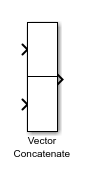
- The Vector Concatenate block concatenates input signals to create a nonscalar signal that you can iteratively process with a subsystem, for example, a for-each, while-iterator, or for-iterator subsystem.
- You can use multiple Vector Concatenate blocks to create the output signal in stages, but the result is flat, as if you used a single block to concatenate the signals.
- The signals in the output signal appear in the same order as the input signals for the block. For a description of the port order for various block orientations, see Identify Port Location on Rotated or Flipped Block.
- You must use a Vector Concatenate or Matrix Concatenate block to define an array of buses. For more information, see Group Nonvirtual Buses in Arrays of Buses.